You want to use Google Sheets as a place for practice, but the autocomplete (also known as smart fill and formula suggestions) keeps showing you the correct answer or a derivative of a previously completed cell. You can turn off the setting that does this.
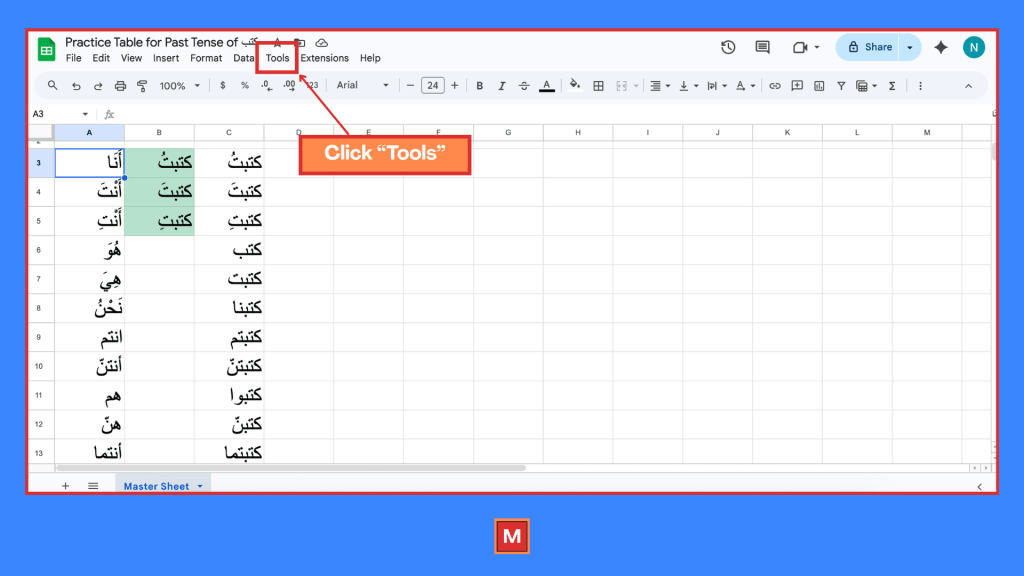
Click on Tools.
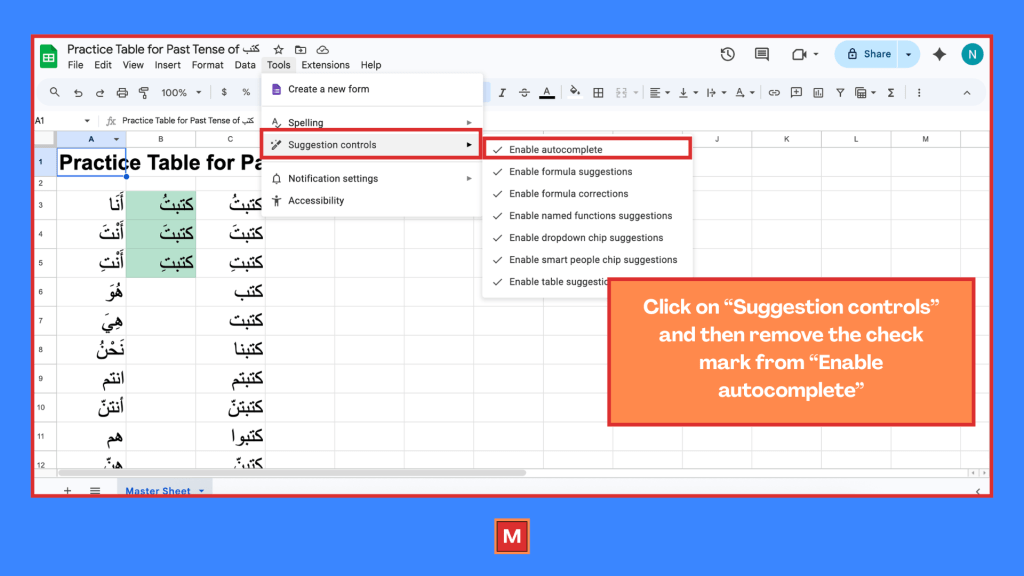
Click on “Suggestion controls” then remove the check mark from “Enable autocomplete.”
 The Magnetized Man
Leave a comment